
Apfel: Accessing Local Apple Intelligence via CLI and API

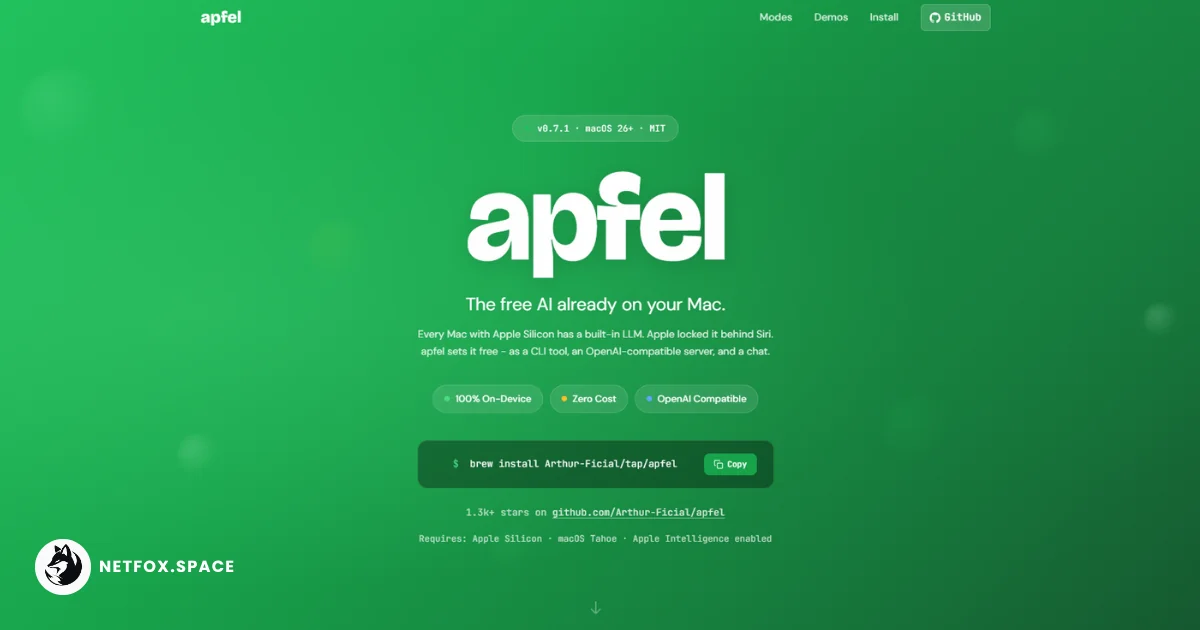
The release of apfel v0.7.2 provides a specialized bridge for developers to interact with Apple’s on-device large language models (LLMs) outside of the standard Siri and system-level interfaces. Built specifically for macOS 26 (Tahoe) and newer, the tool wraps the FoundationModels framework in a command-line interface (CLI) and an OpenAI-compatible HTTP server. This implementation allows for 100% on-device inference, requiring no API keys, no cloud subscriptions, and no external network dependencies, aligning with a broader industry shift toward local access to open-source models and minimalist AI infrastructure.
FoundationModels framework provides the backbone for local inference
The technical core of apfel is its integration with the SystemLanguageModel provided by Apple’s FoundationModels framework. While Apple has integrated these models into the macOS experience via writing tools and Siri, the underlying framework has remained largely inaccessible for direct programmatic use by third-party developers without significant boilerplate. Apfel functions as a thin, Swift-based wrapper that initializes the FoundationModels stack to process prompts directly on Apple Silicon.
Because it utilizes the native system models, apfel incurs zero token costs and respects the privacy guardrails established by the OS. The model architecture itself is not configurable; it leverages the single apple-foundationmodel shipped with the operating system. This ensures that the weights are already present on any compatible Mac, though it limits the user to Apple’s specific training and safety tuning. For technical operators, this means deployment is as simple as installing the binary via Homebrew or building from source using the macOS 26.4 SDK.
Local-first context management and MCP tool integration
One of the primary challenges with on-device LLMs is the limited memory and compute budget compared to hyperscale cloud providers. Apfel addresses this through a suite of context management strategies designed to handle the model's 4,096-token context window. Users can choose between several strategies depending on their specific use case:
-
newest-first: The default behavior that maintains the most recent conversation turns.
-
sliding-window: Limits history to a specific number of turns to prevent overflow.
-
summarize: Uses the on-device model itself to compress older parts of the conversation, effectively extending the perceived context length.
-
strict: Fails on overflow rather than trimming, which is useful for debugging automated scripts.
Beyond simple chat, apfel includes native support for the Model Context Protocol (MCP). This allows the model to interact with external tools—such as calculators, weather APIs, or local file explorers—without requiring the developer to write glue code. By passing the --mcp flag with a path to a tool server (e.g., a Python script), apfel handles the schema conversion and tool-calling round-trips natively.
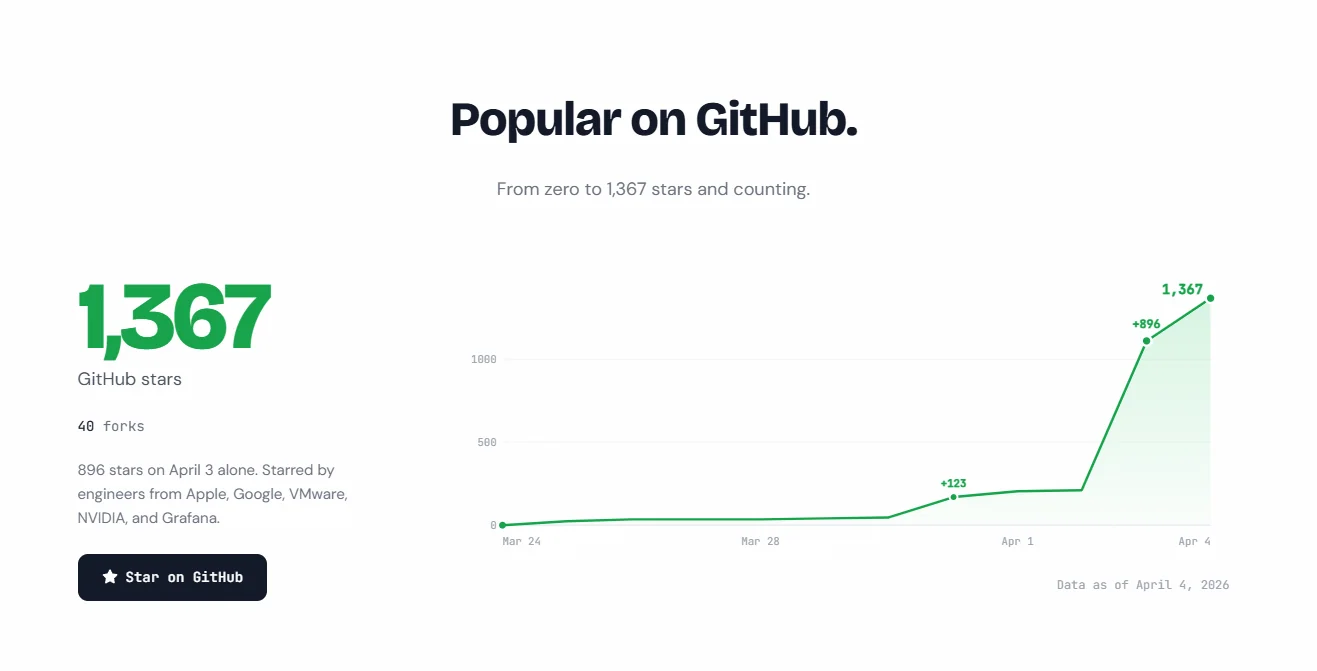 896 stars on April 3 alone. Starred by engineers from Apple, Google, VMware, NVIDIA, and Grafana.
Swift 6.3 and strict concurrency define the tool's architecture
The codebase is architected with modern Swift standards, utilizing Swift 6.3’s strict concurrency to ensure thread safety during local inference. The project is divided into three distinct targets: ApfelCore, which contains the pure logic for prompt processing and context management; the apfel executable; and a custom test suite.
A notable design decision is the removal of any dependency on XCTest, preferring a pure Swift test runner. This allows the tool to be built and tested using only the Apple Command Line Tools, removing the requirement for a full Xcode installation. The ApfelCore library is designed to be unit-testable without the FoundationModels dependency, allowing the maintainers to verify logic for tool calling and context strategies in isolation from the actual model inference.
Deployment options via OpenAI-compatible server
To bridge the gap between local execution and existing AI ecosystems, apfel includes an OpenAI-compatible HTTP server mode (apfel --serve). By default, it listens on localhost:11434, acting as a drop-in replacement for any application or SDK that expects an OpenAI API endpoint.
The server supports both streaming and non-streaming completions via POST /v1/chat/completions. It maps standard OpenAI parameters like temperature, max_tokens, and seed to the native GenerationOptions within the Apple framework. However, there are significant deviations from the OpenAI spec due to the constraints of the underlying Apple model:
-
Embeddings: Not supported; the server returns a 501 error for
/v1/embeddings. -
Multi-modal input: Image and video processing are rejected with a 400 error.
-
Legacy Completions: The
/v1/completionsendpoint is not implemented, as the system is optimized for chat transcripts.
Security is handled via optional Bearer token authentication and configurable CORS headers, which are necessary for browser-based clients.
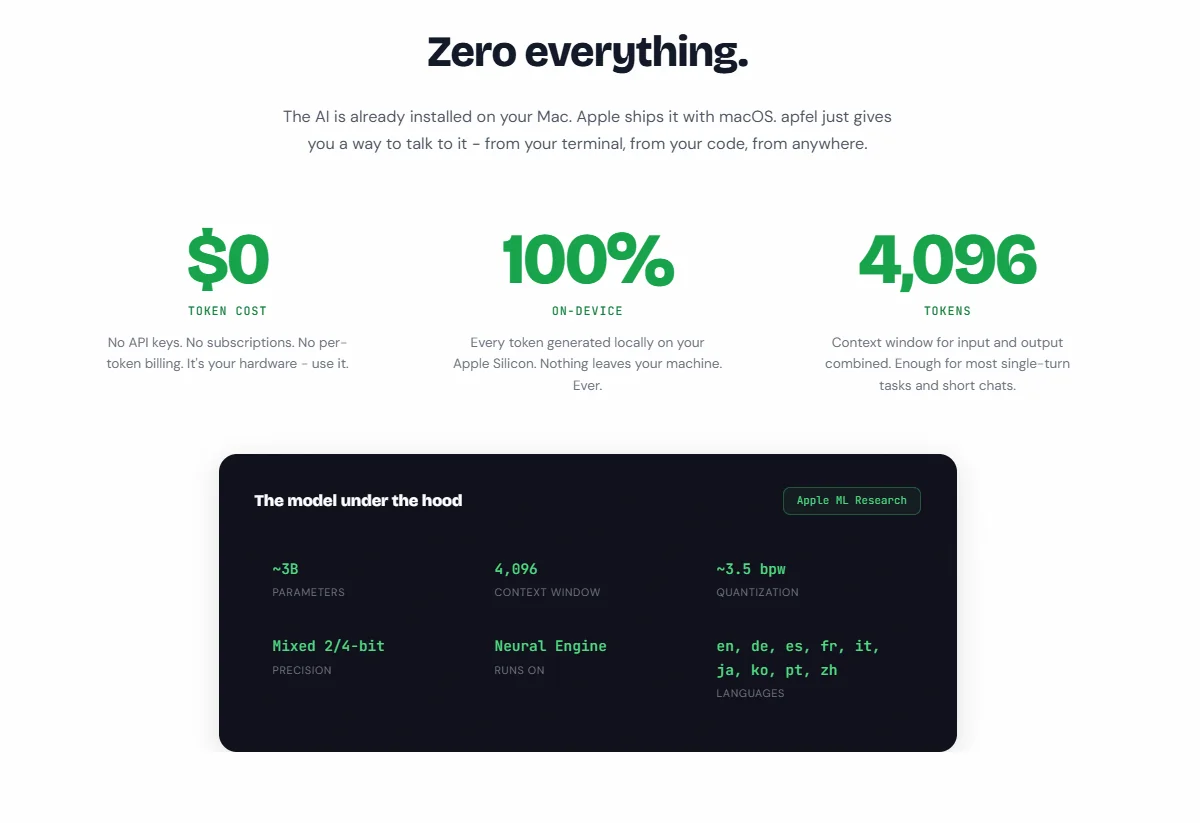 The AI is already installed on your Mac. Apple ships it with macOS. apfel just gives you a way to talk to it - from your terminal, from your code, from anywhere.
Practical limitations of the 4,096-token context window
Despite the convenience of local access, apfel inherits the fundamental limitations of Apple’s current on-device hardware and software stack. The 4,096-token limit—shared between input and output—restricts the tool’s utility for large-scale document analysis or long-form code generation. In practice, this equates to roughly 3,000 English words of total state.
Performance benchmarks included in the source package indicate that while the model is fast enough for interactive use on M-series chips, it does not match the throughput of cloud-based inference for high-concurrency workloads. Additionally, Apple’s safety guardrails are enforced at the framework level. These guardrails can sometimes result in false positives, where benign prompts are blocked by the system with a "Guardrail blocked" exit code (Code 3).
For developers, apfel represents a shift toward treating local AI as a standard UNIX utility. Through features like piped input (echo "..." | apfel) and file attachments, it enables complex shell-based automation, such as reviewing git diffs or summarizing local logs, without the latency or privacy risks associated with sending data to external servers.
Comments (0)
Please login to comment
Sign in to share your thoughts and connect with the community
Loading...