
From Morning Crash to Evening Demolition: Proving a 320GB Production Server Failure When Management Derailed

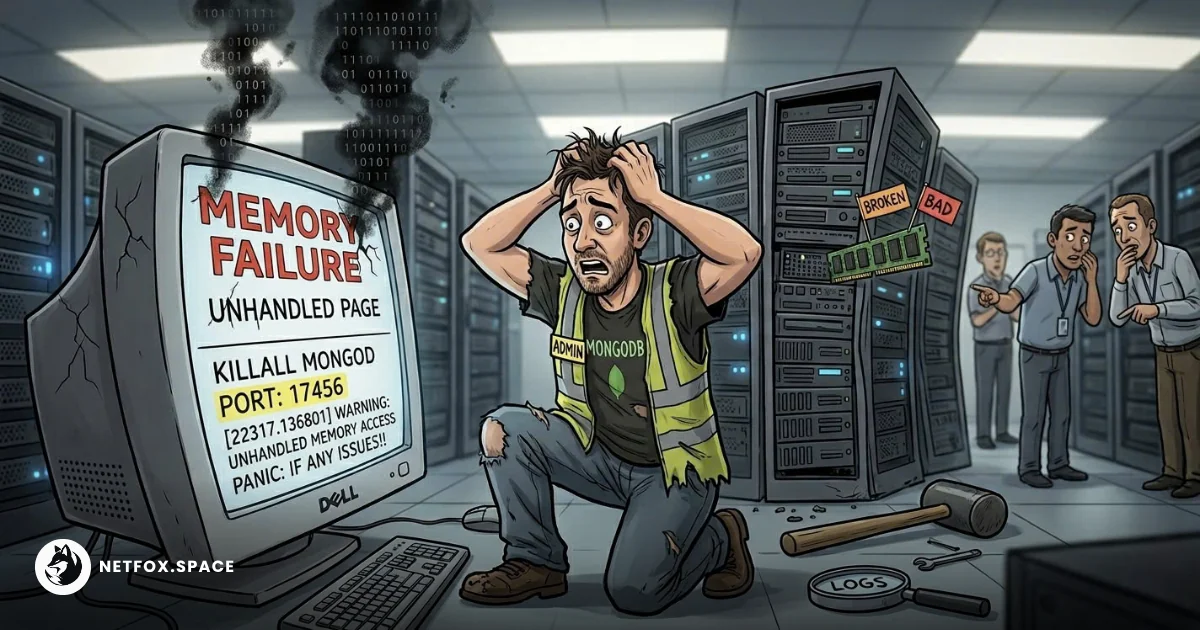
It was just another quiet morning until the monitoring system began screaming. Not just a minor slowdown; it was a catastrophic loss of connectivity. Our main production server—a massive physical machine housing a business-critical MongoDB database with 320GB of data—was down.
The next twelve hours were not just a technical firefight against hardware entropy. They became a psychological battle against overconfident management. As a fullstack blockchain engineer, I wear many hats—backend, frontend, DevOps, sometimes everything at once. Today, I had to wear the hat of a forensics investigator and a physical hardware technician because our Product Manager decided that logs were lying.
This is the story of how that day went down, followed by a deep technical dive into how I gathered undeniable, hardware-level proof when my software stack was crashing and my management was in denial.
The Story: Crisis, Denials, and Distrust
The Silence of the Server
The first stage of any critical incident is shock. When that production server dropped connection, my immediate reflex was to assume network routing. But after a quick ping test with other engineers, the reality hit: the physical box was unresponsive. This was the production database—the lifeblood of the operation. Everything came to a halt.
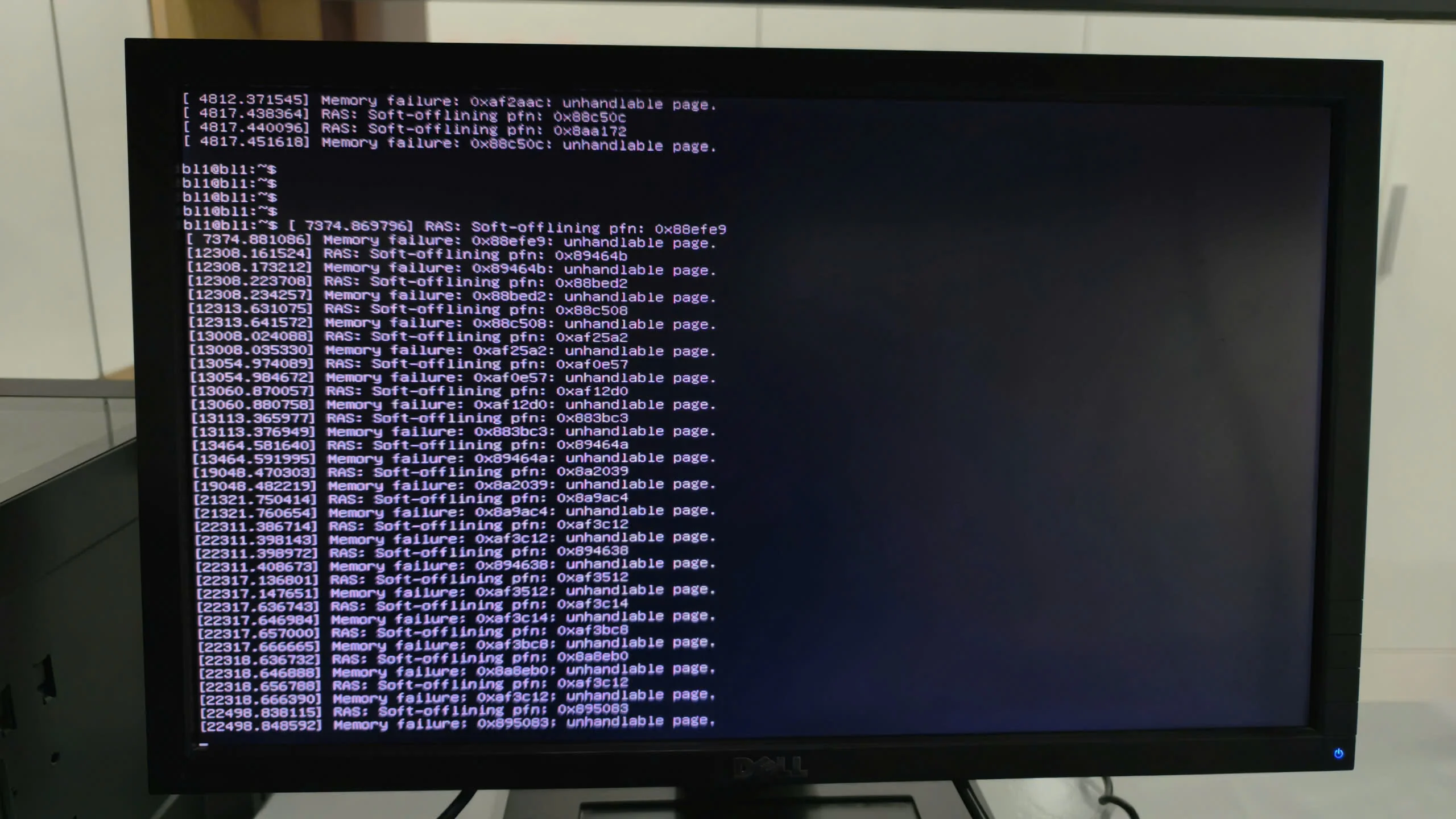 A full-screen view of a Dell monitor showing a continuous scroll of hardware-level errors in a Linux environment. The logs repeat 'Memory failure' and 'unhandled page' messages for various memory addresses (PFNs), indicating a severe RAM hardware issue or system instability.
Once I managed to gain low-level access via the out-of-band management interface, the logs made my blood run cold. It wasn’t a hacker. It wasn’t a software bug. It was a failure of the physical silicon.
The Great PM Wall
I immediately flagged the incident as critical and looped in the CEO, CTO, and the assigned PM. My report was clear: "Hardware-level memory failure detected on several RAM modules. Risk of imminent, silent data corruption of the 320GB database. Urgent hardware replacement required."
The response from the CEO: Unavailable (On vacation). The response from the CTO: Unavailable (On medical leave). The response from the PM: "It's a MongoDB problem."
Despite having a technical background, the PM was dangerously overconfident. They refused to believe that the expensive, shiny server could just break. They demanded I "fix the software."
Hours ticked by. The database remained locked. Every second meant data at risk. From morning till evening, I was locked in a useless semantic debate. The PM wouldn’t even authorize the call to the actual DevOps support team, insisting this was a database configuration issue. This is the danger of management that thinks they understand technical nuances but lack the practical "in-the-trenches" experience.
Taking Matters into My Own Hands
Exhausted and furious by late afternoon, I knew arguing was futile. The PM was paralyzed by a mix of ignorance and ego. Leveraging my position as the most senior developer on site, I made a final operational call. Software cannot run on broken hardware.
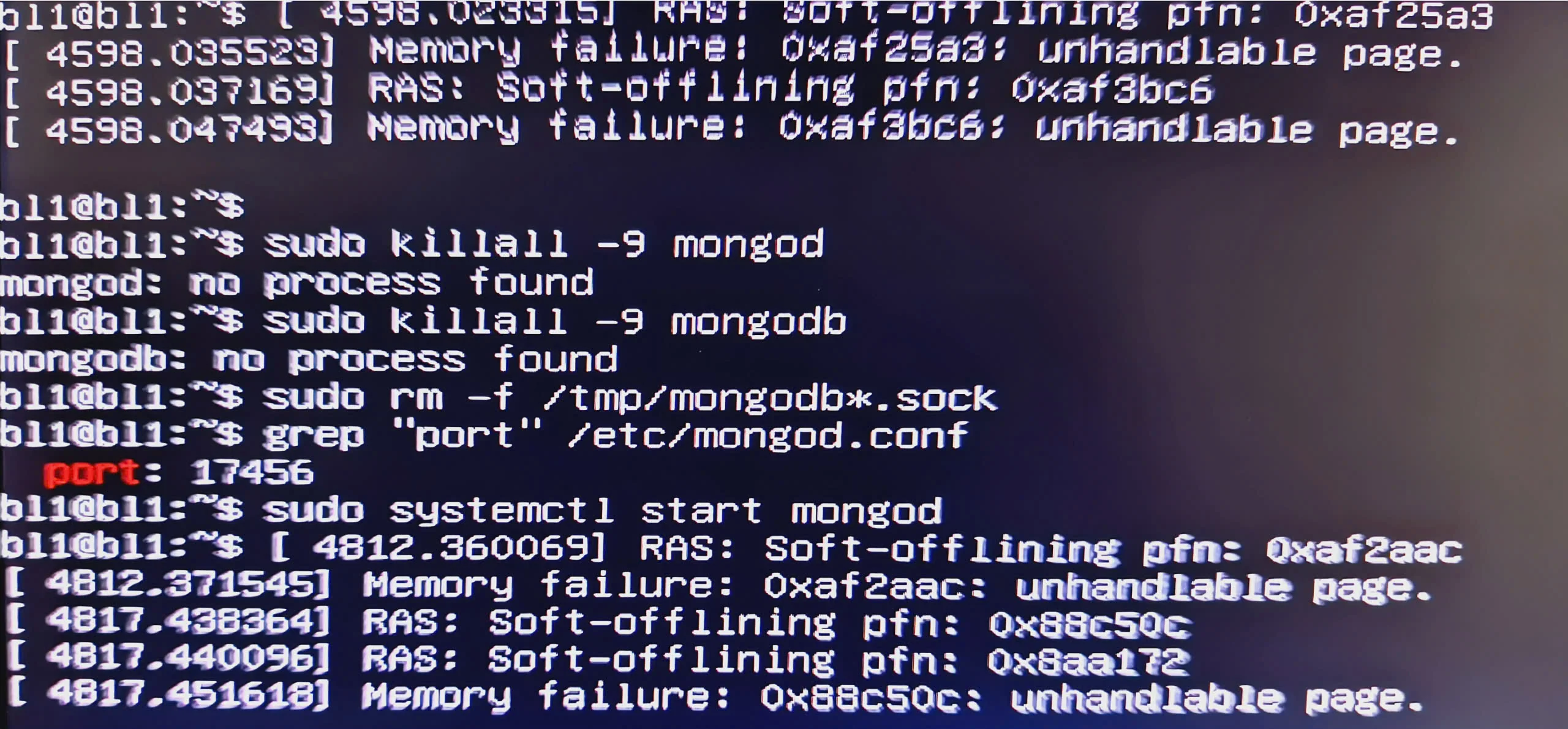 Close-up of a monitor displaying a Linux terminal. It shows kernel error messages regarding 'Memory failure' and 'RAS: Soft-offlining pfn'. Below the errors, commands like 'sudo killall -9 mongod' and 'sudo systemctl start mongod' are visible, indicating an attempt to restart a database service on port 17456.
I physically went to the machine. I dismantled the server. I found the faulty Samsung 32GB sticks. I sent the parts out for urgent repair. It was a miserable end to a miserable day, but it saved the 320GB of data.
The Technical Deep Dive: Proving RAM Failure
When dealing with a skeptical management, you must rely on high-level, verifiable truth. Here is how I gathered that "hardware-level" proof using standard Linux tools.
1. Interpreting the Kernel’s Cry: The dmesg Command
When RAM fails, the OS kernel knows immediately. It will try everything to protect data before crashing. Your first stop must be the kernel ring buffer.
I ran this filtered query to find the smoking gun: sudo dmesg | grep -iE "exception|error|fail|memory|ras|edac"
What the specific logs meant:
-
RAS: Soft-offlining pfn: ...: The Linux kernel is trying to actively quarantine bad physical memory addresses (page frame numbers) so they aren't used. This is a last-resort effort by the system to maintain stability. -
Memory failure: ...: unhandled page: The kernel is warning that it can't handle the corruption; the page it tried to process is useless. -
Status 48on MongoDB: This is the crash dump of the software stack. MongoDB, being highly dependent on RAM integrity, will crash when the underlying memory fails. The PM was focusing on the result (Mongo crashed) and ignoring the cause (RAM failure).
2. Pinpointing the Physical Stick: The dmidecode Command
The PM wouldn't believe a general error, so I needed to identify which specific stick of memory was failing. This is crucial for the technicians who actually swap the parts.
I used dmidecode to read the SMBIOS table: sudo dmidecode -t memory
This command listed the physical specifications of every module. However, the true proof in my case was looking at what the system couldn't see. The mainboard had multiple Samsung 32GB (Part No: M386A4G40DM0-CPB) modules installed.
The "Inconsistency" Proof: My audit showed several slots (like DIMM_A1 or DIMM_D1) listing the Manufacturer and Serial Number, yet reporting Size: No Module Installed.
This inconsistency is the ultimate proof: The system can detect the stick exists, but it cannot access its capacity. That is a physical hardware fault, plain and simple.
Why This Matters: Silent Data Corruption
I hammered this point home, but it’s worth repeating for every dev: When RAM is faulty, the system might not crash immediately. It might continue writing corrupted data into your database.
If a bit flips during a write operation due to failing silicon, you aren't just losing connectivity; you are creating irreversible Silent Data Corruption. By the time the OS notices, your production database might already be trash. This is why immediate replacement, not software debugging, is mandatory.
Final Lessons for the "More-than-Fullstack" Developer
-
Trust the Logs, Not the Management: Your
dmesgoutput does not have an ego. It is reporting physical phenomena. -
DevOps Skills Are Your Shield: Even if you are Backend or Blockchain focused, you must understand how your software interacts with the physical iron beneath it.
-
Document the Resistance: Keep a paper trail of every time non-technical management refuses to address a critical hardware fault. It protects you when the post-mortem audit begins.
A critical incident was extended for hours due to a technical gap in management. But with the right tools and the resolve to take action, the data was saved. If you face a similar situation, demand hardware replacement, not software patches.
Comments (0)
Please login to comment
Sign in to share your thoughts and connect with the community
Loading...